WillWatch
WillWatch

見る前に選ぶ。
YouTubeを、意図的に。

衝動的なサーフィンを減らし、あらかじめ選んだ動画だけを視聴するための自制支援ツール。端末内+任意同期。横断追跡はありません。

ストア公開準備中の場合はボタンが「近日公開」表示になります。

3ステップ

1
リストに追加
見たい動画をウォッチリストへ。動画URLの貼り付けはAPIキー不要(oEmbed)。キーワード/再生リスト検索は、設定で無料の個人 YouTube Data API キー(BYOK)を優先します。キー未設定時は任意で Piped 等の開示済みプロキシを試すことがあり、失敗時は URL 貼り付けまたはキー登録を案内します。
2
今日のハイライトを宣言
視聴前に「今日大切にしたいこと」を宣言し、意図を固定します。
3
選んだ動画だけ視聴
リストから再生。振り返り日記と 7 日チャレンジで習慣を閉じます。

画面

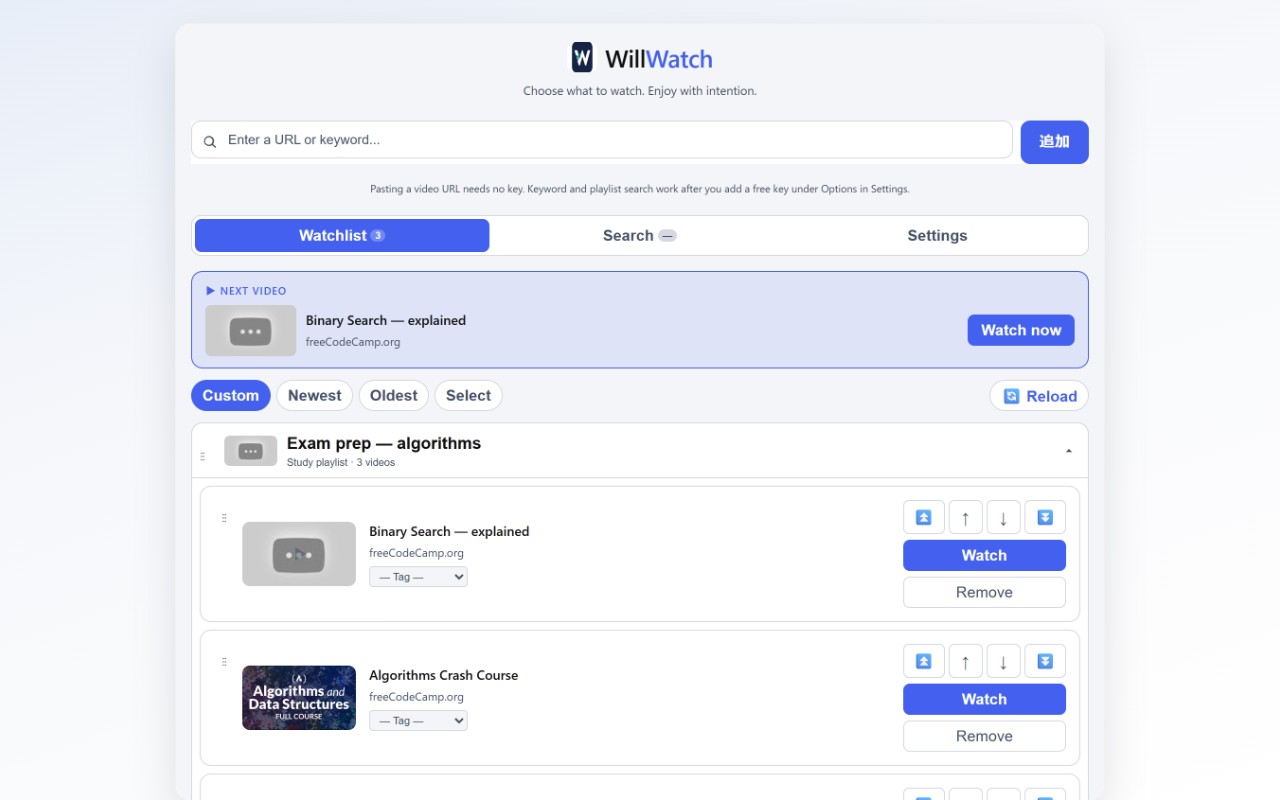
ウォッチリストと学習フォルダ
リストと学習フォルダ — 見る前に選ぶ
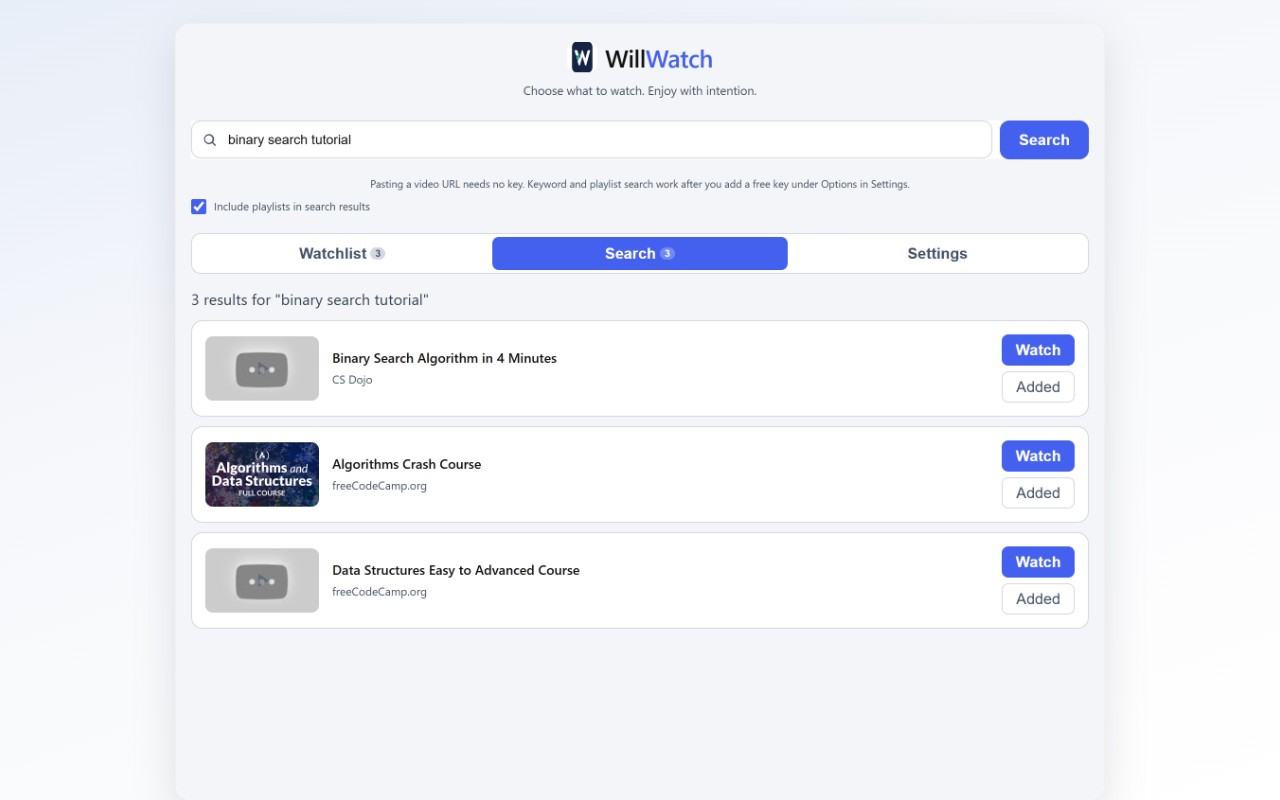
検索画面
検索 — URL 貼り付けまたは BYOK キーワード検索
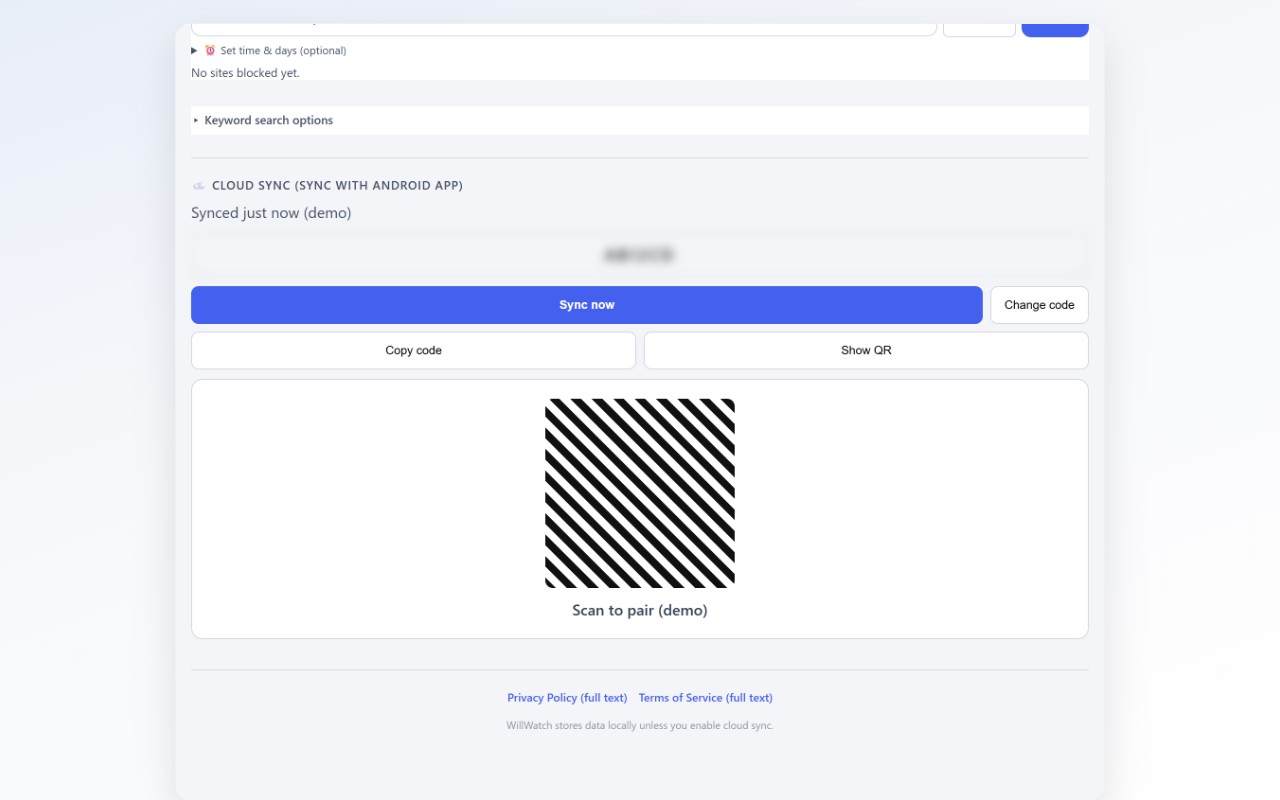
QR 同期画面
任意の QR 同期 — PC とスマホのリスト共有
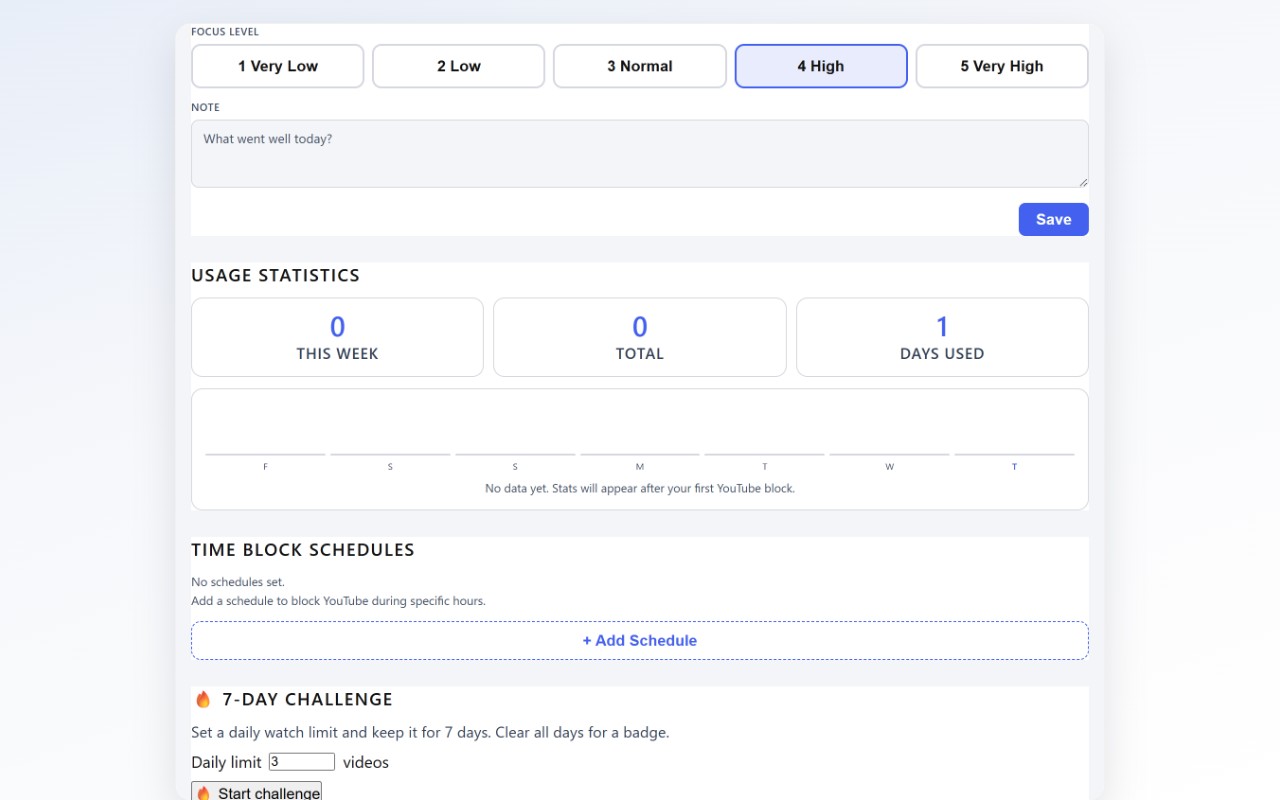
振り返り日記
振り返り日記 — 視聴後に習慣を閉じる

特徴

事前宣言型 — おすすめフィードではなく、自分で選んだ動画だけ。
学習フォルダ — プレイリストをフォルダ化(端末間同期は任意)。
端末設定への案内 — YouTube アプリ/Chrome の制限は端末の設定を開くだけ。OS 強制ロックなし。
プライバシー — 端末内+任意同期。横断追跡・広告 SDK なし。現行版は GA4 送信なし。
クロスデバイス — QR 同期で PC とスマホのリストを共有(任意)。
端末内+任意同期 · 横断追跡なし · 広告 SDK なし
プライバシーポリシー · 利用規約 · Legal

WillWatch は YouTube または Google の公式製品ではありません。YouTube は YouTube LLC の商標です。

Choose before you watch.
YouTube, with intention.

A self-control tool to reduce impulsive browsing and watch only what you planned. On-device + optional sync. No cross-app tracking.

Buttons show “Coming soon” until store URLs are configured.

How it works

1
Add to your list
Build your watchlist. Pasting a video URL needs no API key (oEmbed). Keyword and playlist search prefer your free personal YouTube Data API key (BYOK) in Settings. Without a key, an optional disclosed Piped proxy may be tried; if that fails, we guide you to paste a URL or add a key. WillWatch does not scrape YouTube search page HTML.
2
Declare today’s highlight
Set your intention before you press play.
3
Watch what you chose
Play from your list. Close the loop with diary and a 7-day challenge.

Product

Watchlist and curriculum folders
Watchlist & folders — choose before you watch
Search screen
Search — paste a URL or BYOK keyword search
QR sync screen
Optional QR sync — share lists across phone and PC
Reflection diary
Reflection diary — close the loop after viewing

Why WillWatch

Pre-declared viewing — Your list, not an endless feed.
Curriculum folders — Organize playlists (optional cloud sync).
Opens phone settings — Guides you to Digital Wellbeing / Chrome limits; no OS-wide YouTube lock.
Private by default — On-device + optional sync. No cross-app tracking or ad SDKs. No GA4 in this release.
Cross-device — Optional QR sync between phone and PC.
On-device + optional sync · No cross-app tracking · No ad SDKs
Privacy Policy · Terms of Service · Legal

WillWatch is not an official YouTube or Google product. YouTube is a trademark of YouTube LLC.

Elige antes de ver.
YouTube, con intención.

Una herramienta de autocontrol para reducir el consumo impulsivo y ver solo lo que planificaste. En el dispositivo + sync opcional. Sin rastreo cruzado.

Los botones muestran «Próximamente» hasta configurar las URLs de las tiendas.

Cómo funciona

1
Añade a tu lista
Crea tu lista. Pegar una URL de video no requiere clave API (oEmbed). La búsqueda por palabra y listas prioriza tu clave personal gratuita de YouTube Data API (BYOK) en Ajustes. Sin clave, puede probarse opcionalmente un proxy Piped divulgado; si falla, te guiamos a pegar una URL o registrar una clave. WillWatch no hace scraping del HTML de búsqueda de YouTube.
2
Declara el destaque de hoy
Fija tu intención antes de pulsar reproducir.
3
Mira solo lo que elegiste
Reproduce desde tu lista. Cierra el ciclo con el diario y el reto de 7 días.

Producto

Lista y carpetas de estudio
Lista y carpetas — elige antes de ver
Pantalla de búsqueda
Búsqueda — pegar URL o búsqueda BYOK
Pantalla de sync QR
Sync QR opcional — compartir listas entre móvil y PC
Diario de reflexión
Diario — cierra el hábito después de ver

Por qué WillWatch

Visualización predeclarada — Tu lista, no un feed infinito.
Carpetas de estudio — Organiza listas (sincronización en la nube opcional).
Abre ajustes del teléfono — Guía a Bienestar digital / límites de Chrome; sin bloqueo OS de YouTube.
Privacidad por defecto — En el dispositivo + sync opcional. Sin rastreo cruzado ni SDK de anuncios. Sin GA4 en esta versión.
Multi-dispositivo — Sincronización QR opcional entre móvil y PC.
En el dispositivo + sync opcional · Sin rastreo cruzado · Sin SDK de anuncios
Política de Privacidad · Términos de Servicio · Legal

WillWatch no es un producto oficial de YouTube ni de Google. YouTube es una marca de YouTube LLC.

Escolha antes de assistir.
YouTube, com intenção.

Uma ferramenta de autocontrole para reduzir a navegação impulsiva e assistir só o que você planejou. No dispositivo + sync opcional. Sem rastreamento cruzado.

Os botões mostram «Em breve» até as URLs das lojas serem configuradas.

Como funciona

1
Adicione à lista
Monte sua lista. Colar uma URL de vídeo não precisa de chave API (oEmbed). Busca por palavra e playlists priorizam sua chave pessoal gratuita da YouTube Data API (BYOK) em Configurações. Sem chave, um proxy Piped divulgado pode ser tentado opcionalmente; se falhar, guiamos para colar URL ou cadastrar chave. O WillWatch não faz scraping do HTML de busca do YouTube.
2
Declare o destaque de hoje
Defina sua intenção antes de apertar play.
3
Assista o que você escolheu
Reproduza pela lista. Feche o ciclo com o diário e o desafio de 7 dias.

Produto

Lista e pastas de estudo
Lista e pastas — escolha antes de assistir
Tela de busca
Busca — colar URL ou busca BYOK
Tela de sync QR
Sync QR opcional — compartilhar listas entre celular e PC
Diário de reflexão
Diário — feche o hábito depois de assistir

Por que WillWatch

Visualização pré-declarada — Sua lista, não um feed infinito.
Pastas de estudo — Organize playlists (sincronização na nuvem opcional).
Abre ajustes do telefone — Orienta Bem-estar digital / limites do Chrome; sem bloqueio OS do YouTube.
Privacidade por padrão — No dispositivo + sync opcional. Sem rastreamento cruzado nem SDKs de anúncios. Sem GA4 nesta versão.
Vários dispositivos — Sincronização QR opcional entre celular e PC.
No dispositivo + sync opcional · Sem rastreamento cruzado · Sem SDKs de anúncios
Política de Privacidade · Termos de Serviço · Legal

O WillWatch não é um produto oficial do YouTube nem da Google. YouTube é uma marca da YouTube LLC.